Checking the source
It checks dimensions, bleed, fonts and resolution in supported files. If a file needs changes, it explains why.
Print preparation for print studios
Every new job needs a file check, a layout and a production handoff. Priprema tiska brings those steps into one interface, tailored to your studio.
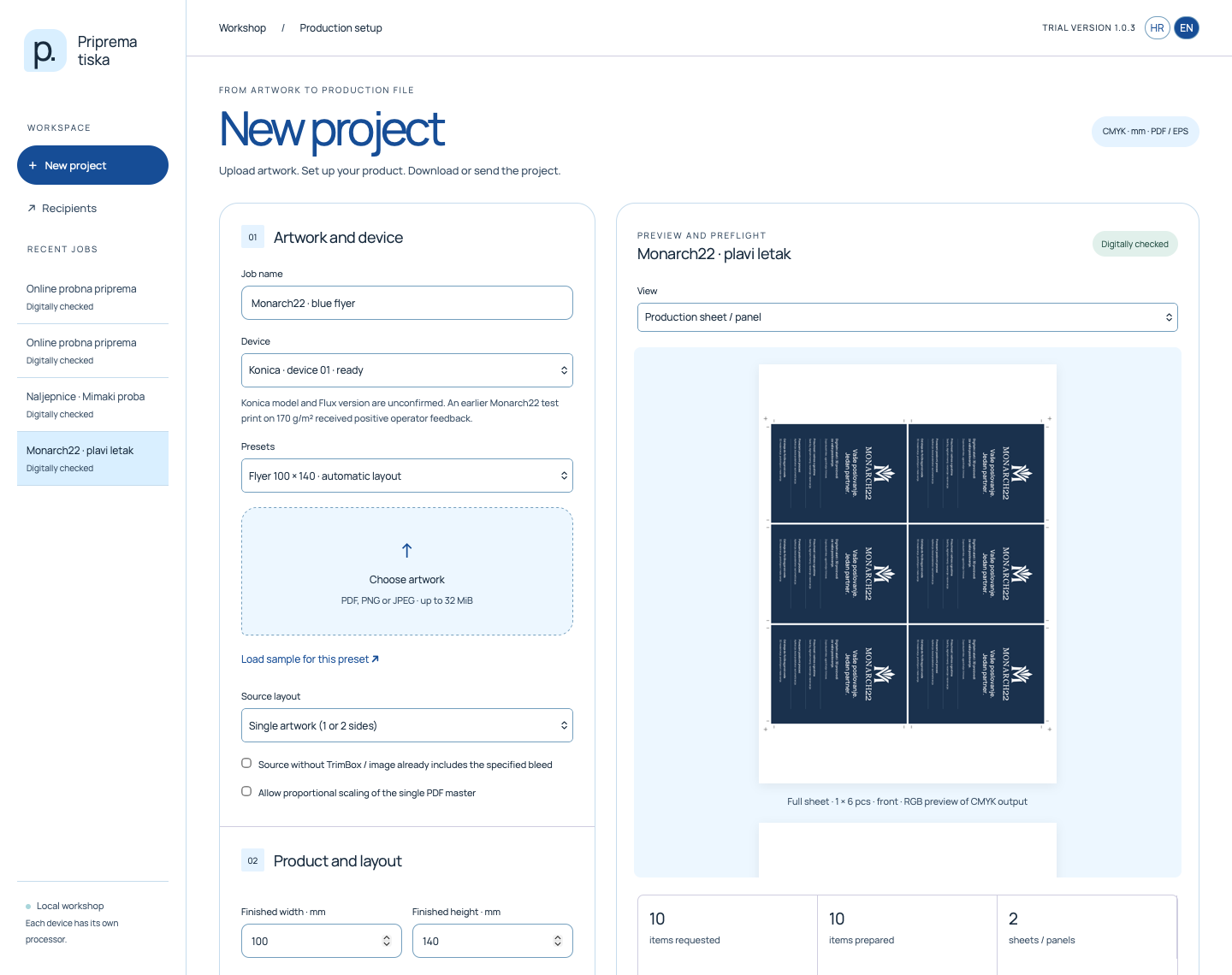
Upload your artwork and set the size and quantity. The system checks the file, calculates the layout and prepares the files for your operator.
Less repetitive work
It checks dimensions, bleed, fonts and resolution in supported files. If a file needs changes, it explains why.
It calculates a layout using the sheet size, margins and allowed rotations. It prepares the requested quantity and lists how many times to print each sheet.
Save the device, material and layout settings, then select them again for similar jobs. Each new artwork file is checked again.
From source to handoff
Use a PDF, PNG or JPEG. Choose the device, finished size, quantity and working settings.
The system creates a layout and a preview of the production file. Check warnings, content, bleed and trim position before handoff.
One ZIP brings together the output files and operator information. You do not need to collect them from separate folders.
Tailored to your studio
We adapt preparation to your studio’s equipment and jobs. Together, we define the changes, integration and operator handoff you need.
Support for a specific printer and material is confirmed through testing. A digital file check does not replace a test print.
Online trial
In the app, choose a device and load a sample to create a print-ready project.
The app runs online. Access is protected by sign-in.
Contact
Send an enquiry to Monarch. We’ll review your printers, formats and preparation workflow with you.
info@monarch22.com